Deep work sessions that actually work.

An app for focused work sessions — cut through the noise, set what you'll work on, stay focused, and walk away with something done.

Start your first session → Fully free. No account needed.
NowBloc app screenshot
A different kind of focus tool
A practice, not a productivity hack.
Just show up for 1–3 hours a day. The structure is already built in.
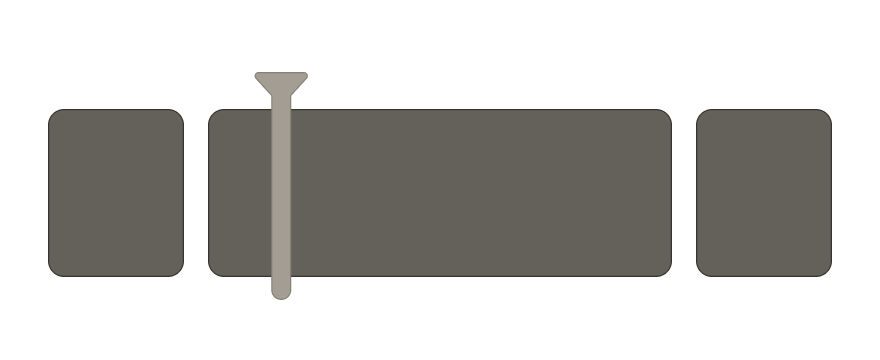
Begin with purpose illustration

Begin with purpose. End with progress.

Define your focus, break it into tasks, and work through them one by one. Unfinished work carries forward to your next session.

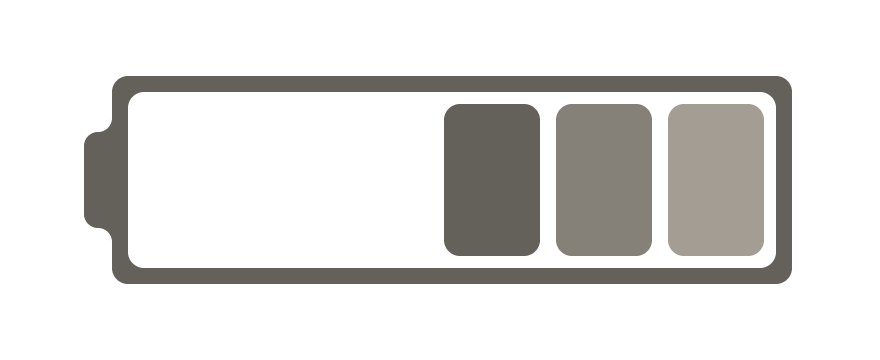
Energy illustration

Energy is finite. Spend it well.

Pick the thing that matters most, sit down, and do it. No setup overhead, no system to maintain — just the work.

Patterns illustration

Get better with every session.

See exactly how each session went — time, focus, blockers. Over weeks, real patterns emerge from your work.

How it works
Each session follows a three-stage process.
Every session follows the same rhythm. Set your intention, do the work, look back at how it went.
Stage 01

Prepare

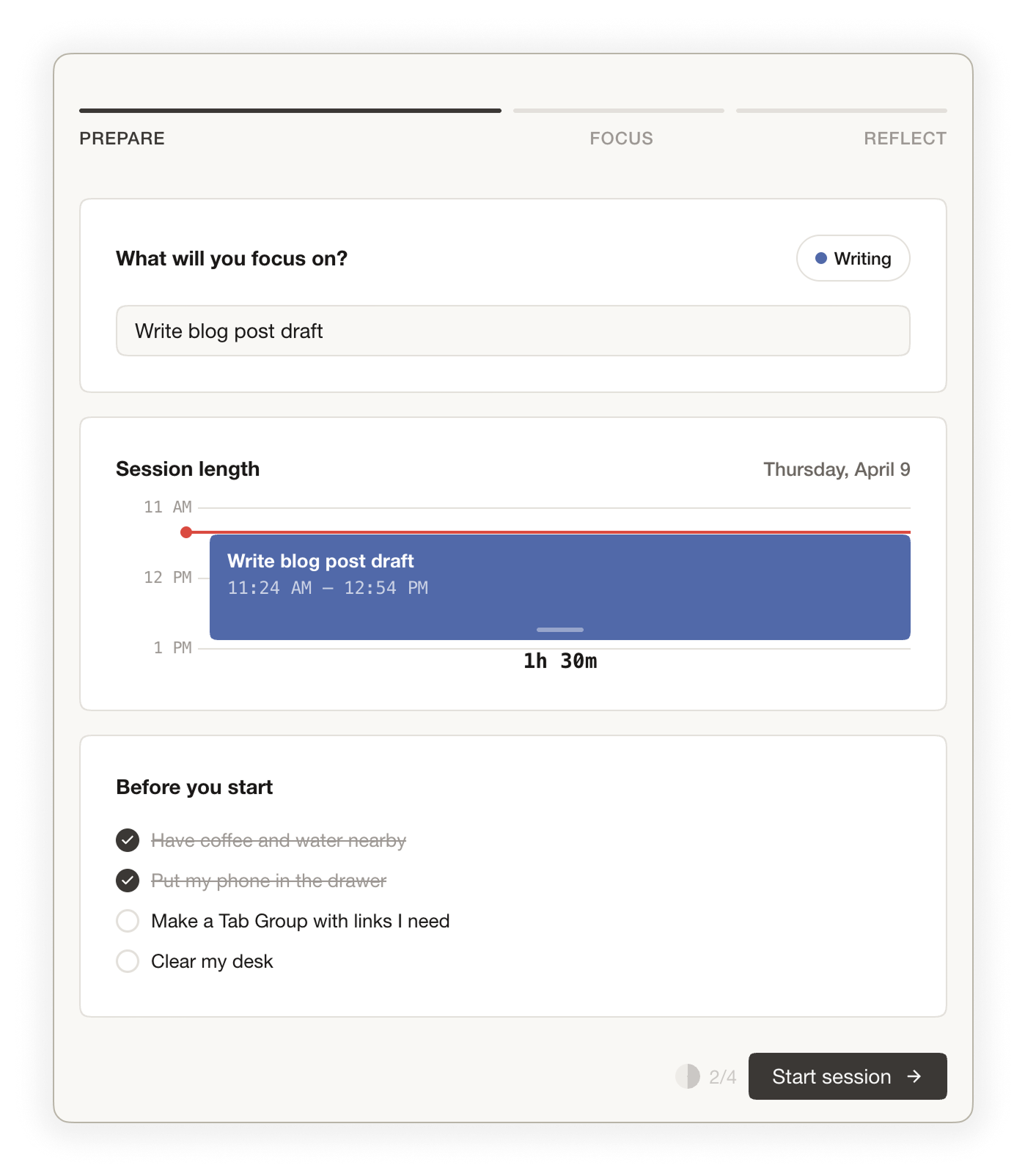
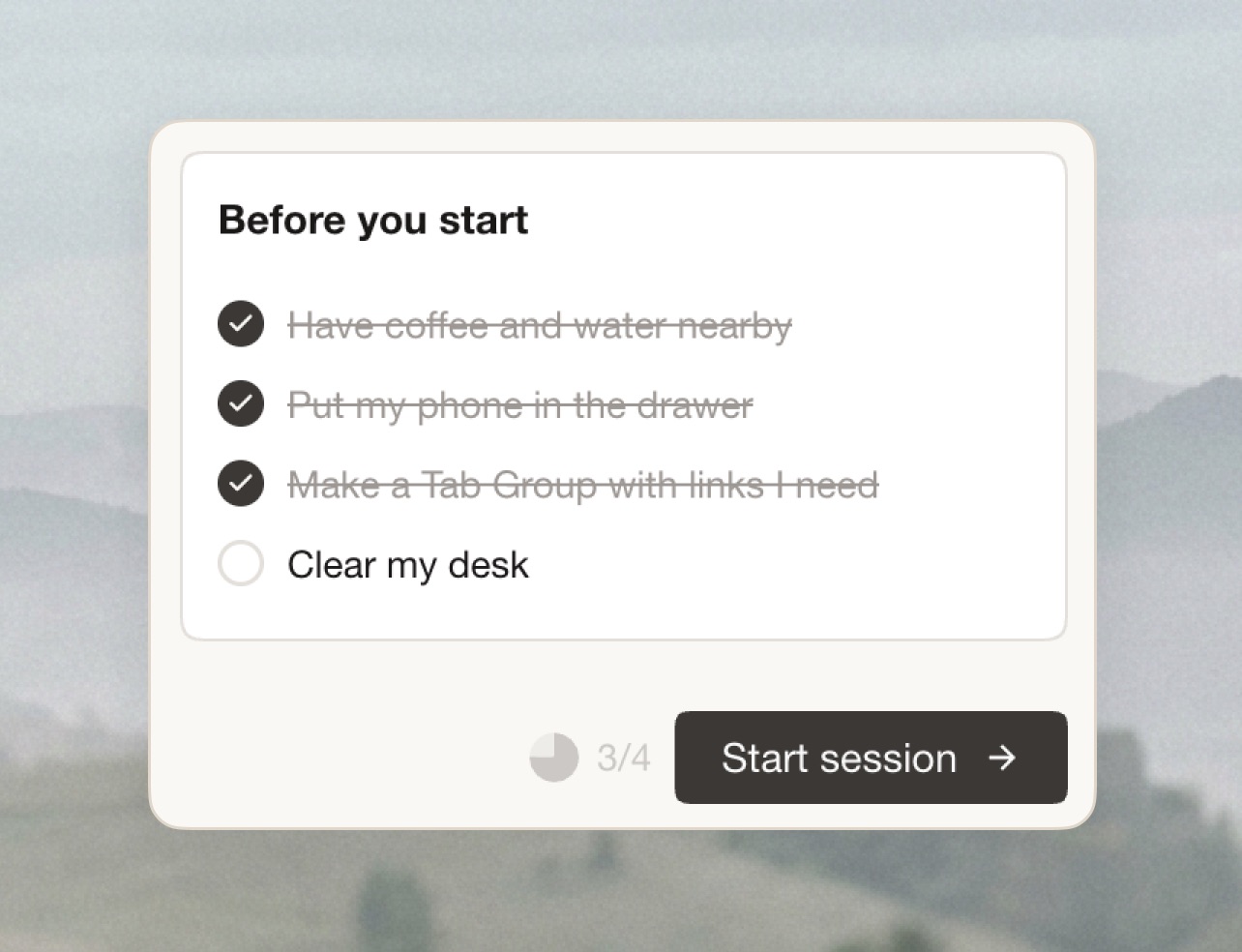
Name the one thing you'll get done. Pick your area of focus, set a session length, and run through your pre-session checklist to get your environment ready. Got something on your mind? Jot it down in the parking lot so it doesn't follow you into the session. Or just hit start — NowBloc works with zero setup.

Prepare screen
Stage 02

Focus

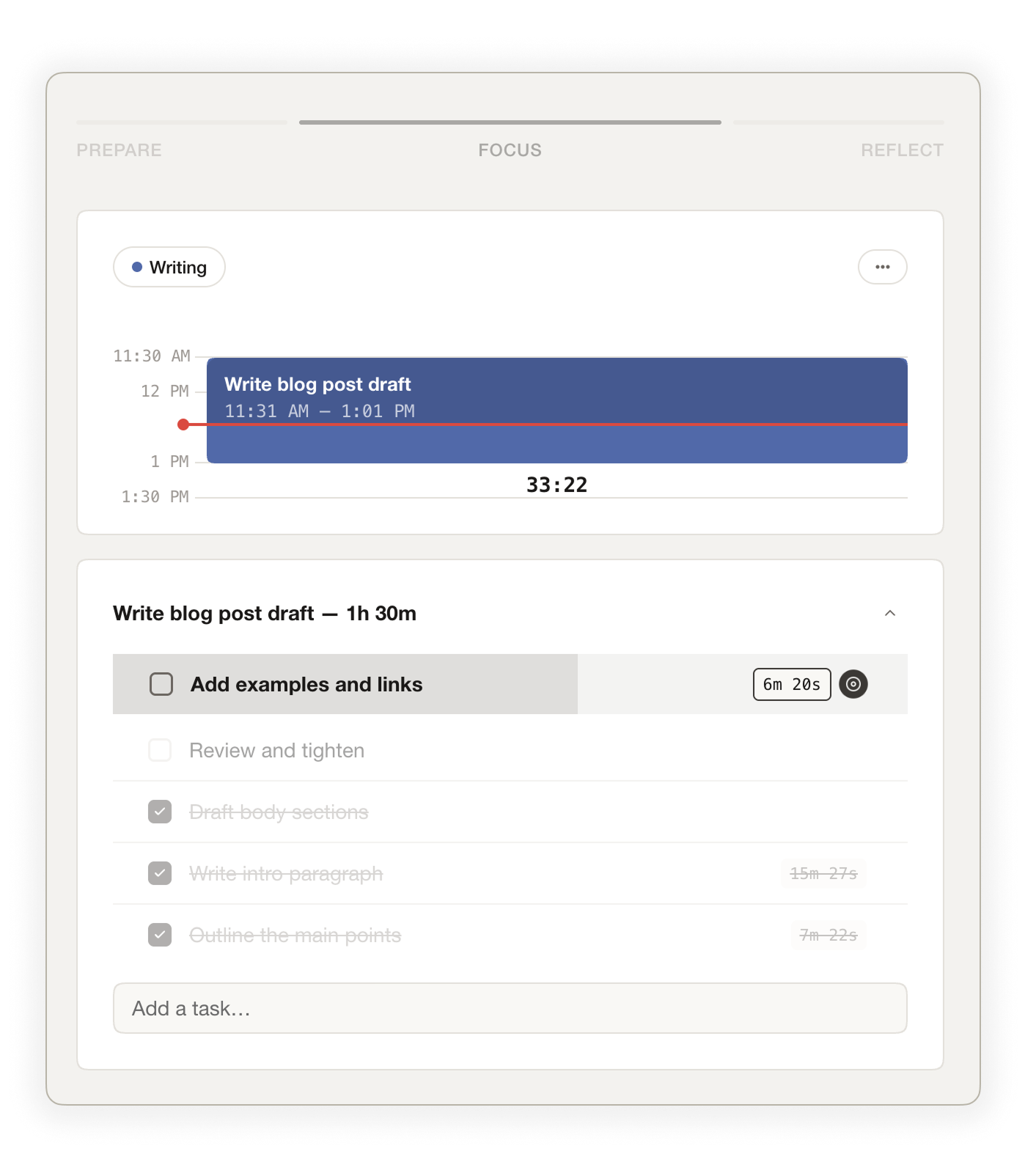
Work through your session as a single block or break it into tasks and tackle them one by one. A visual time block tracks your progress as the session moves forward. Need a breather? Take a timed break. Got a stray thought? Drop it in the parking lot and stay in the zone.

Focus screen
Stage 03

Reflect

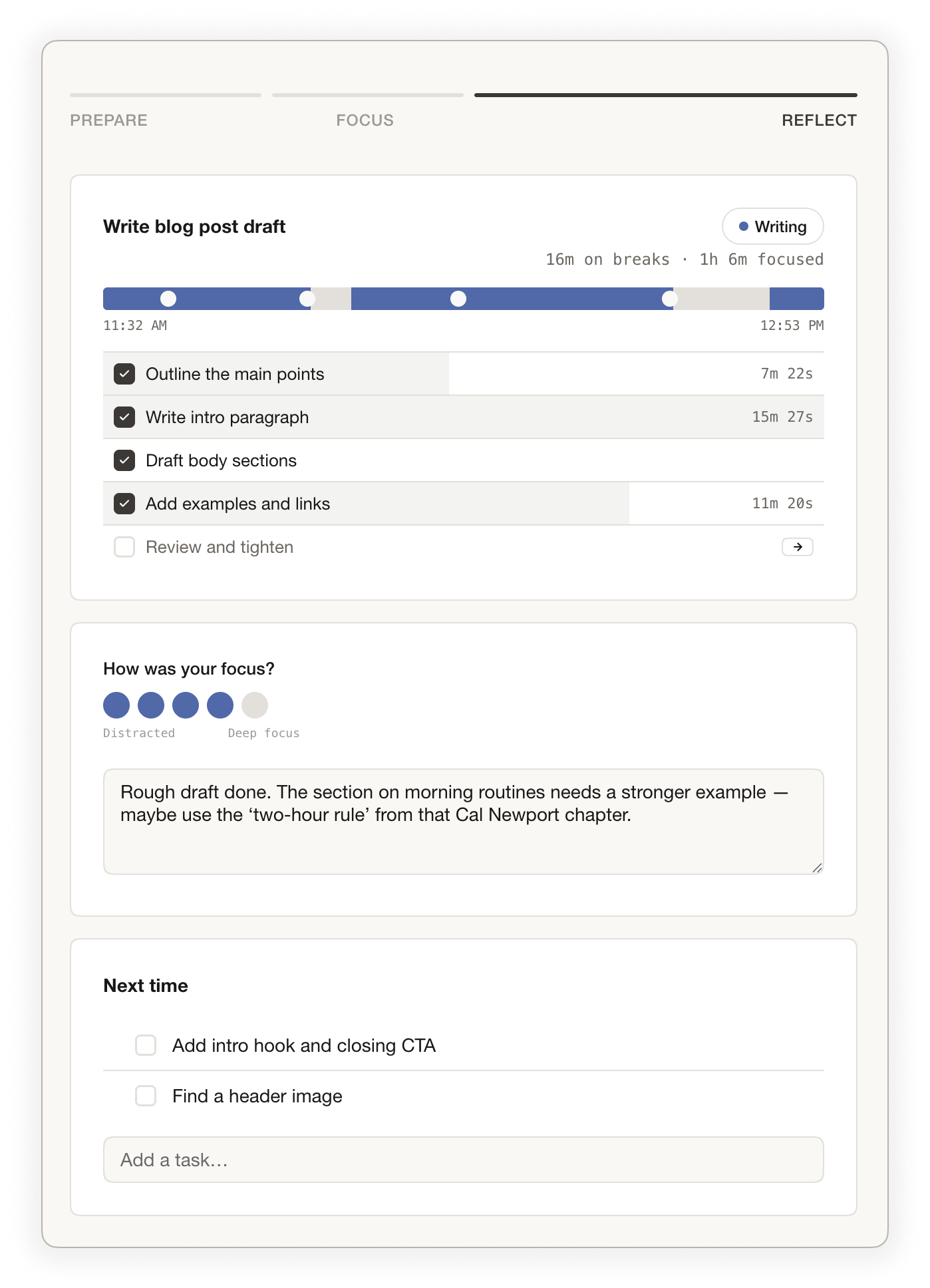
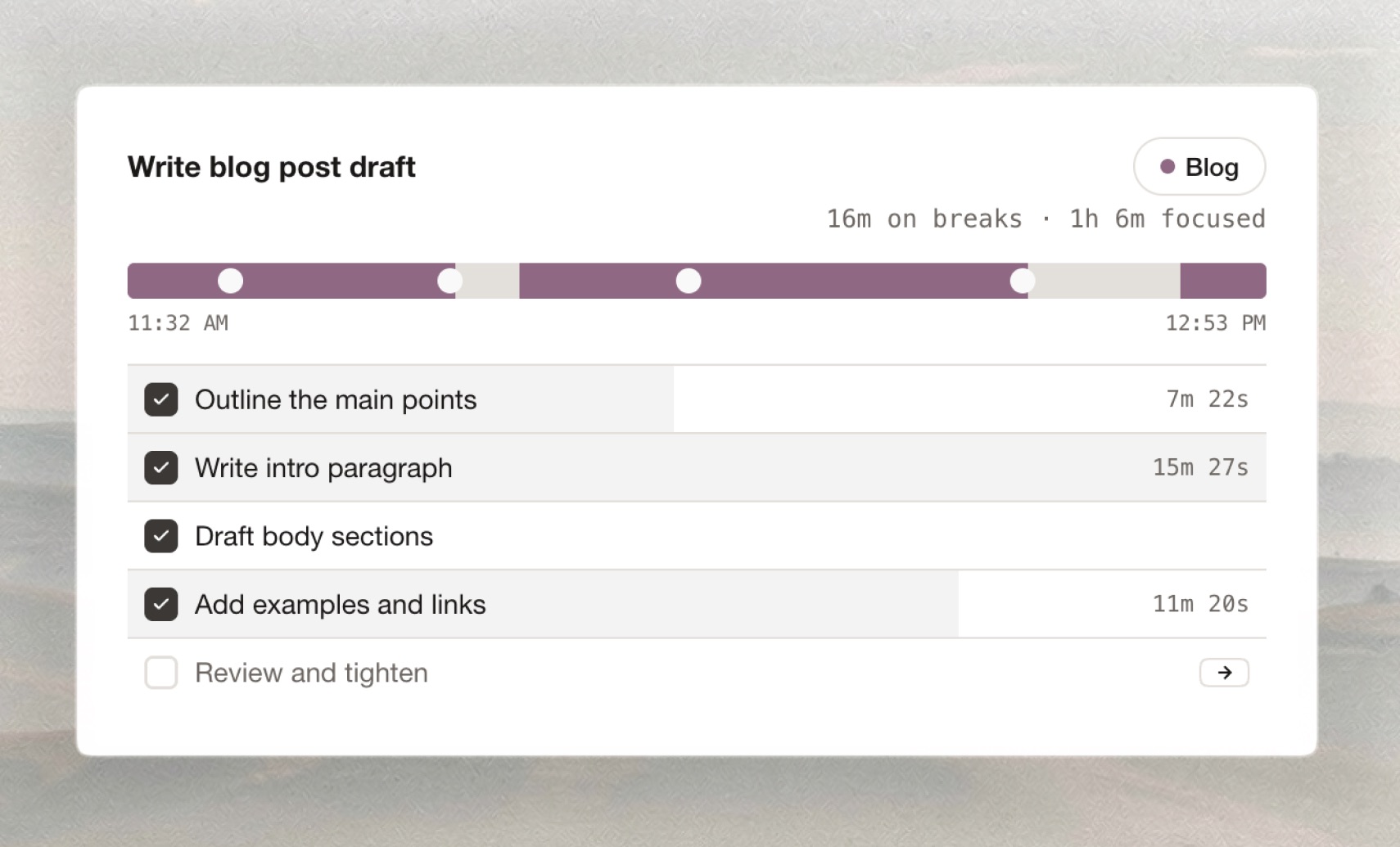
See your full session breakdown — how long each task took, where the breaks fell, how the time was spent. Rate your focus, reflect on what went well and what didn't, and plan what you'll tackle next time.

Reflect screen
Features
Everything you need to protect your focus. Nothing you don't.

Your pre-session ritual, saved

Build a personalized checklist that appears before every session. Close distracting tabs, silence your phone, grab water — whatever puts you in the right headspace. Customize it once, use it every time.

Pre-session ritual checklist

Color-coded areas of focus

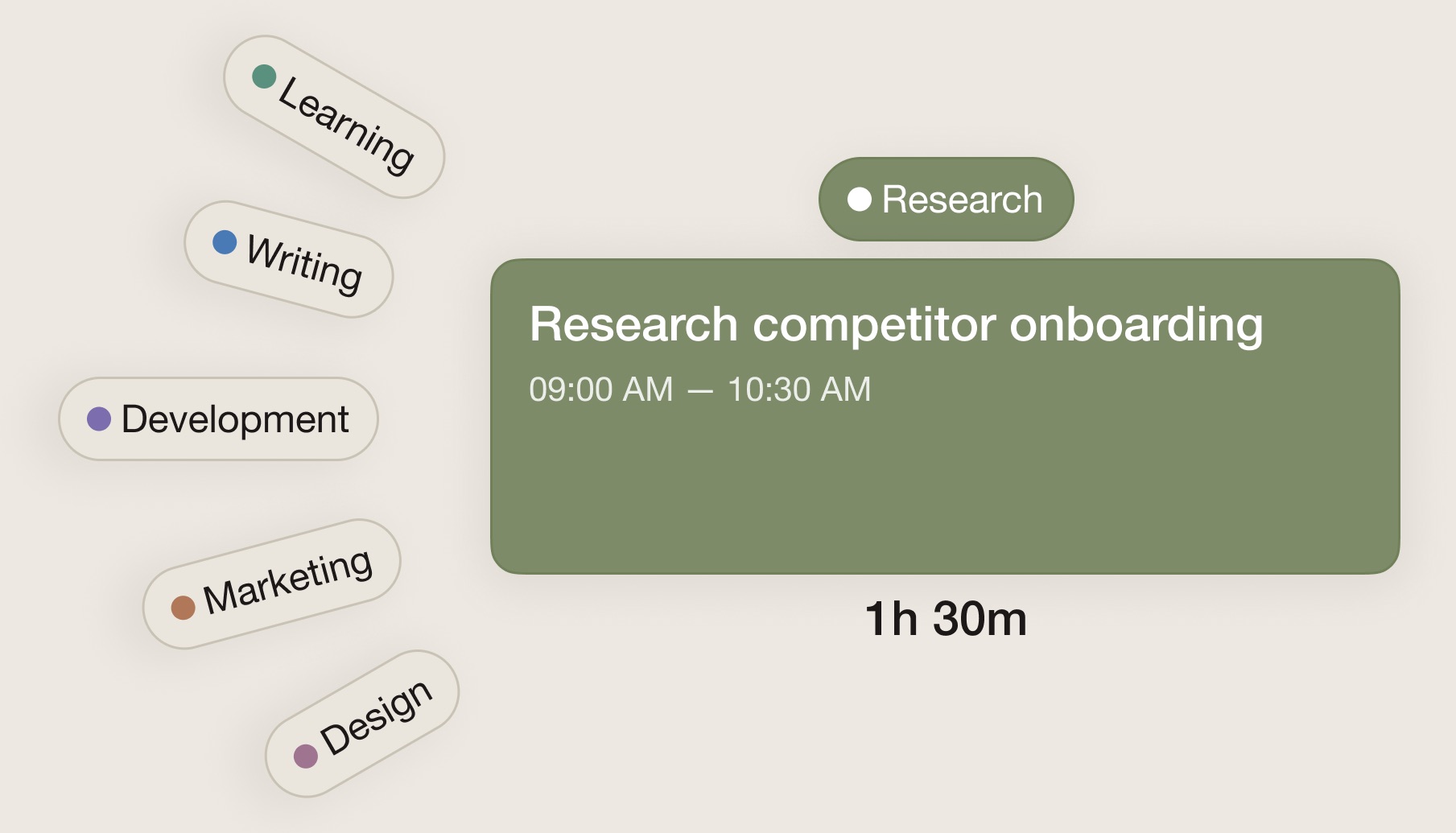
Assign each session an area of focus — design, writing, code, planning, whatever your work demands. Each area gets its own color, so your session history and stats are instantly scannable. See where your time actually goes at a glance.

Areas of focus with color coding

As much or as little setup as you want

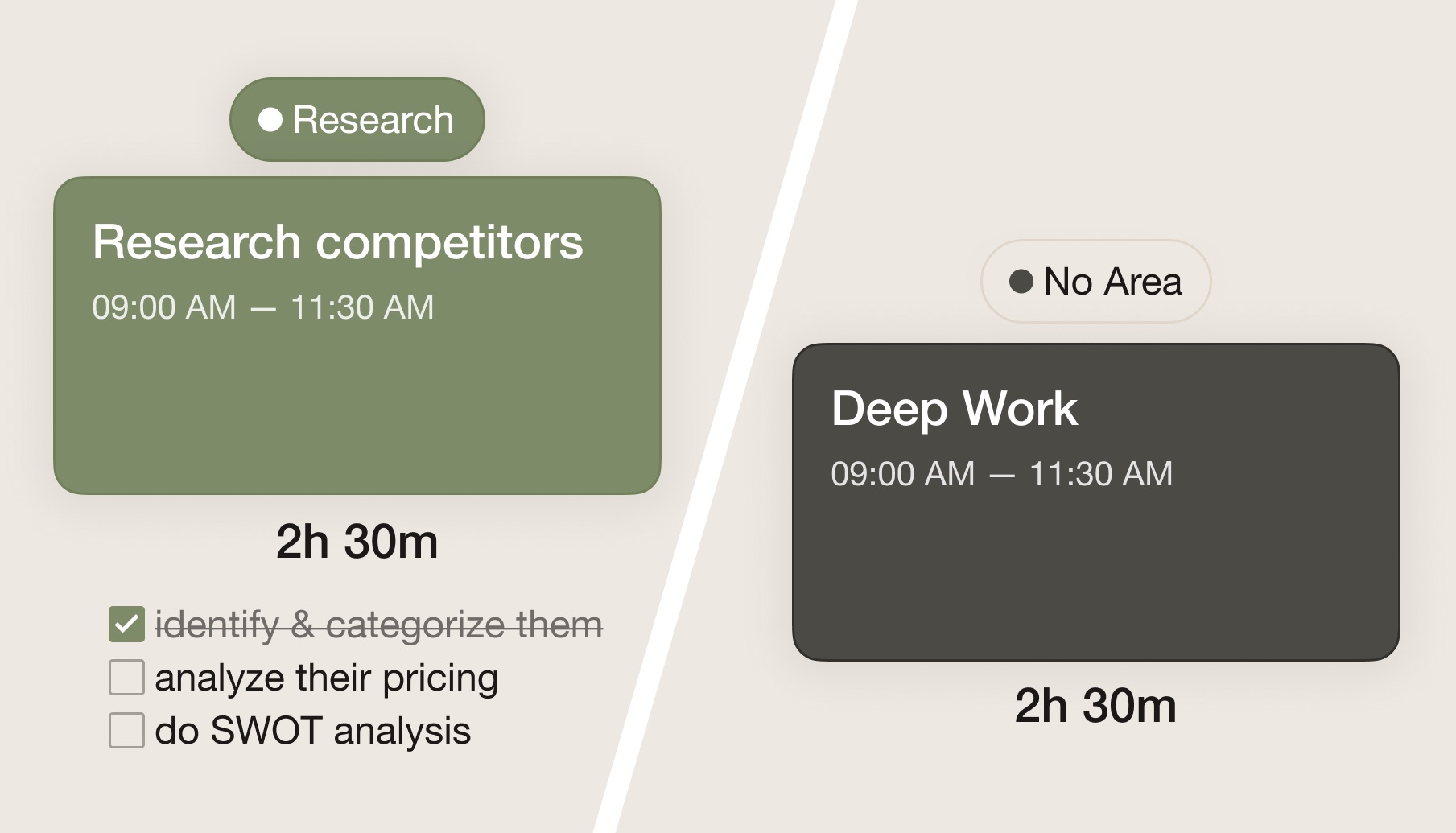
Just hit start and go — no session name, no tasks, no configuration required. Or go deeper: name your session, pick an area of focus, break the work into tasks, and jot pre-session notes in the parking lot. NowBloc adapts to how you work, not the other way around.

Flexible session setup

Works with Things 3 and Markdown

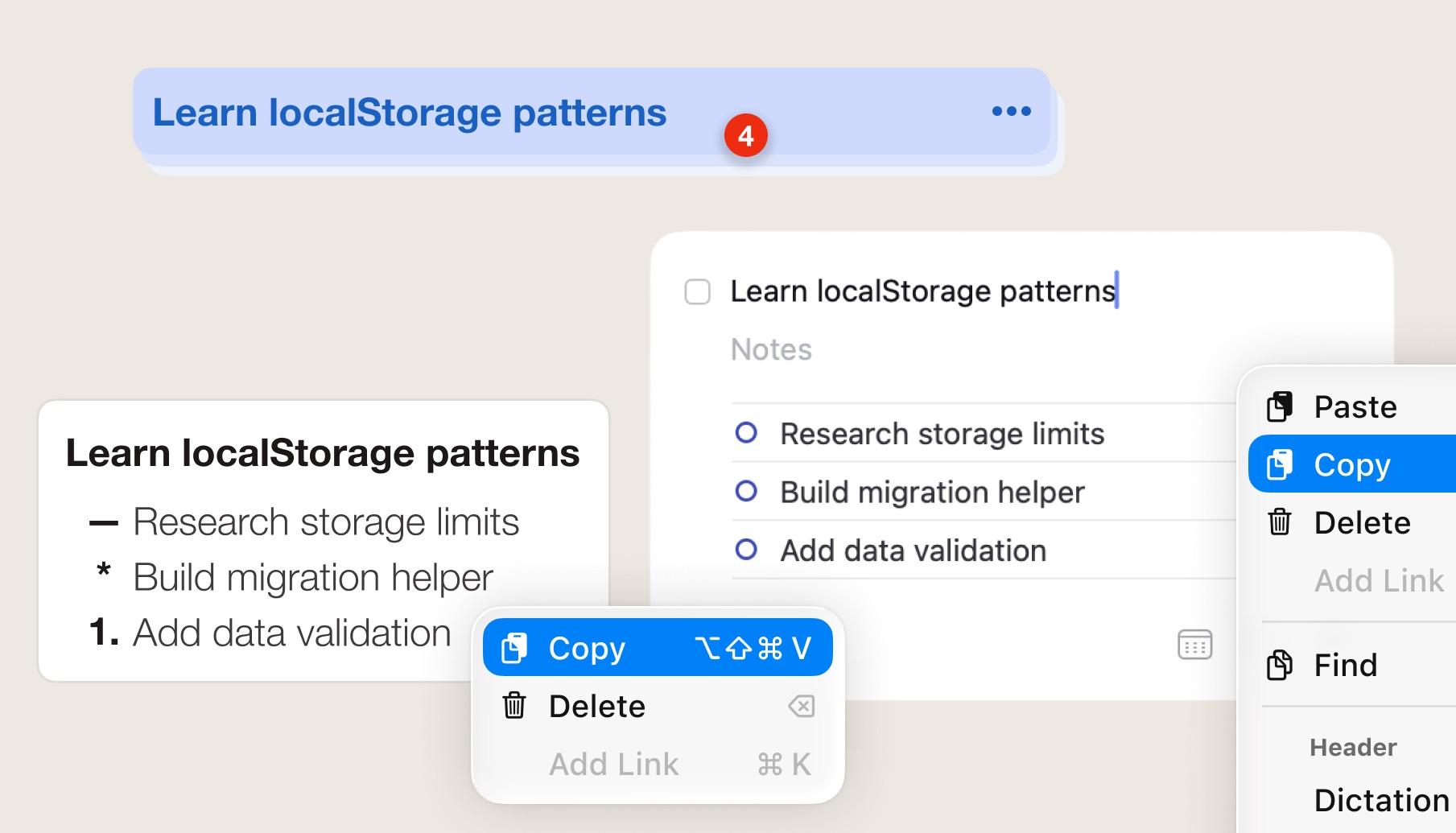
Paste a task with subtasks or an entire section from Things 3 — NowBloc turns it into a ready-to-go session. Works with any plain text or Markdown list too.

Paste tasks from Things 3

Pick up right where you left off

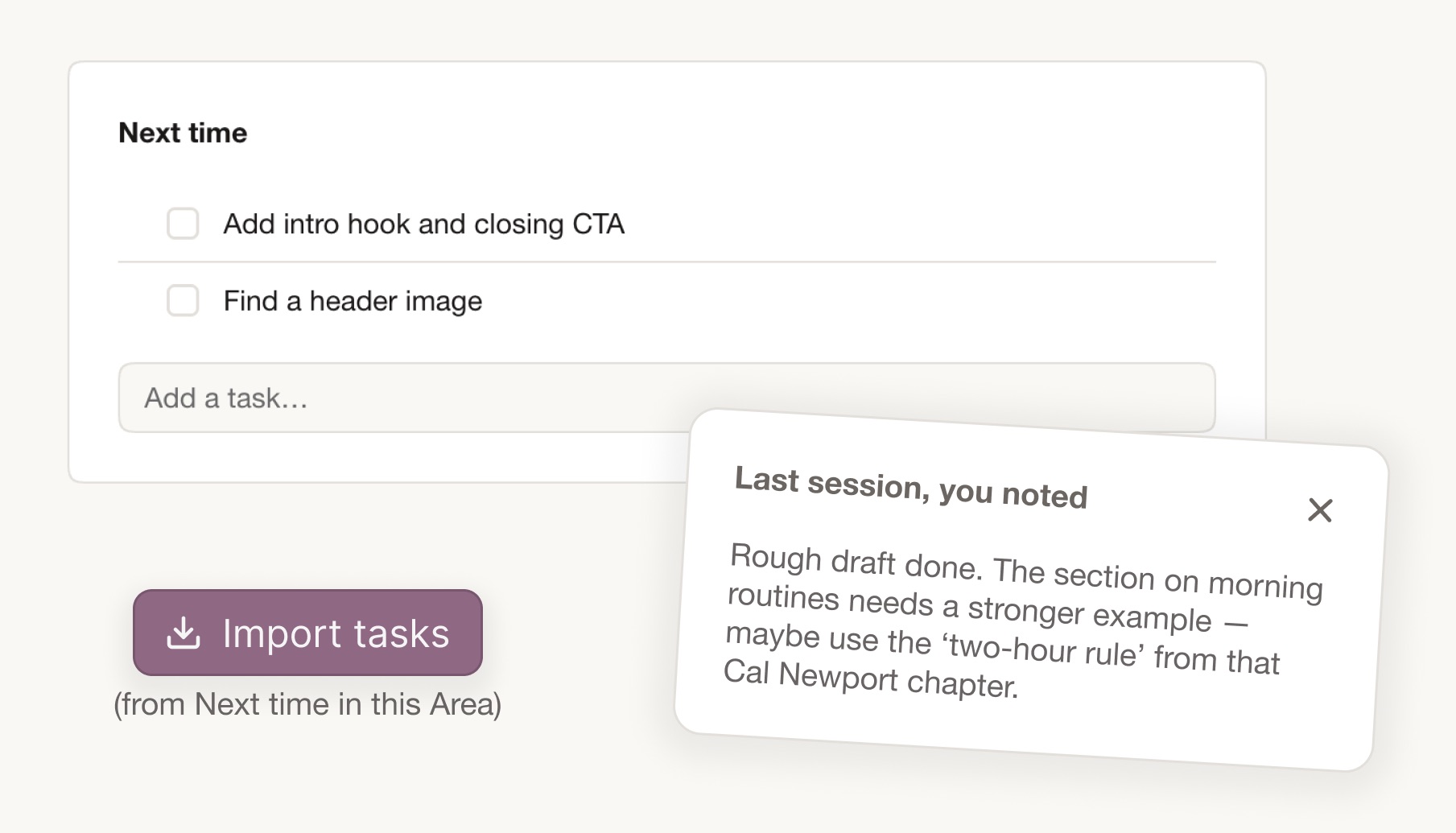
Unfinished tasks carry forward to your next session automatically. Your last session's notes pop up when you start a new one, and the area of focus is already set. Every session connects to the last — so you never waste time remembering where you were.

Tasks carrying forward between sessions

See exactly how your session went

After every session, get a visual breakdown of how you spent your time. A color-coded strip shows each task, break, and transition — so you can see what you actually did, not just what you planned to do.

Session breakdown timeline

Watch your patterns emerge

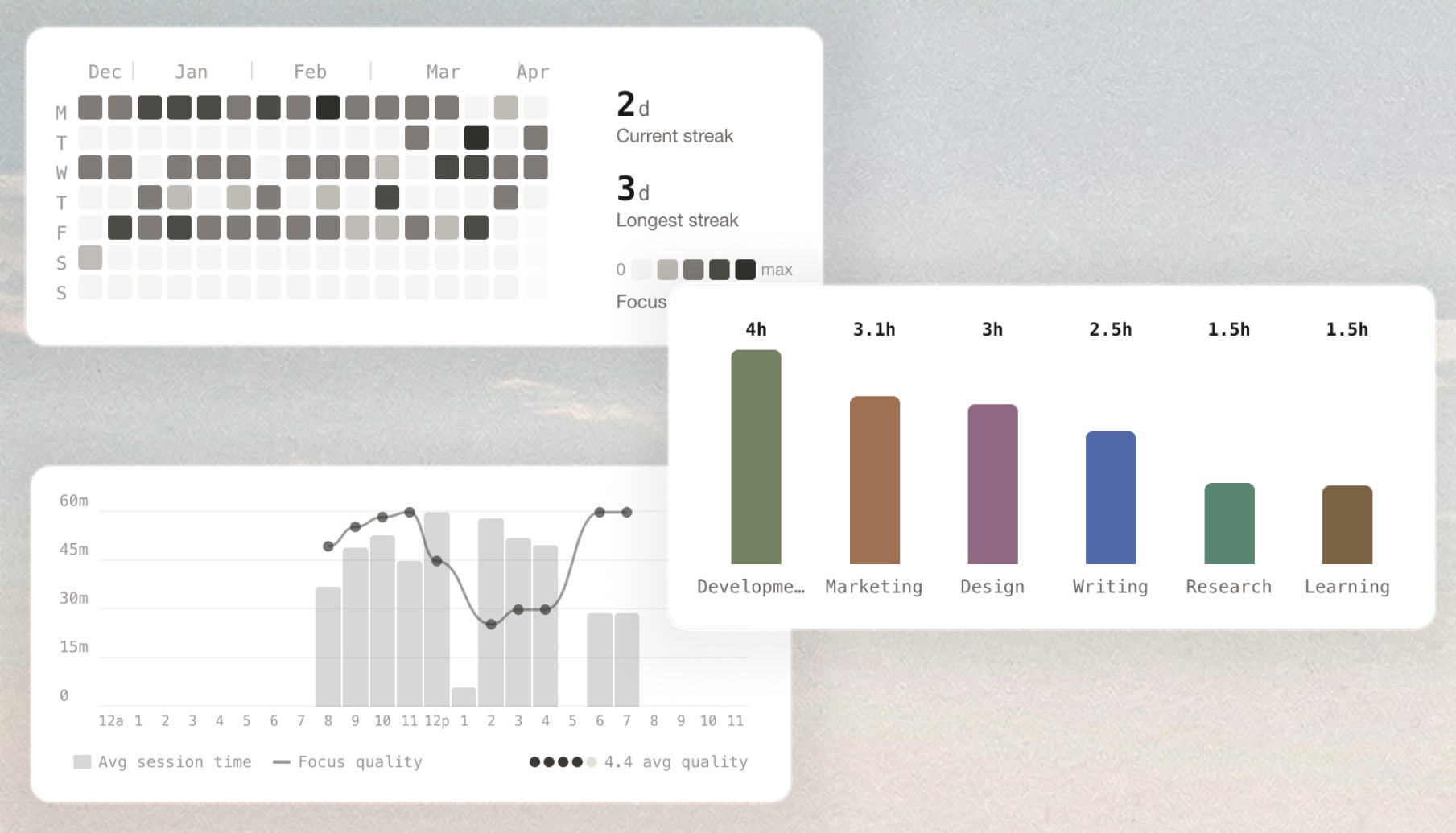
Track deep work habits with an activity heatmap, category breakdowns, and peak-hours charts. See when you do your best work and how your practice strengthens over time.

Analytics heatmap and charts
And more
Small things that matter

Flexible time blocks

Drag the visual time block to set your session from 15 minutes to 4 hours. Extend or shrink mid-session if plans change.

Areas & colors

Each area of focus gets its own color. Your session UI, history, and stats all adapt — making it easy to see where your time goes.

Timed breaks

Step away without losing your place. Set a break timer, and NowBloc will chime you back when it's time to refocus.

Batch-paste tasks

Paste a bulleted list, numbered list, or even a session name with tasks. NowBloc parses them into individual tasks automatically.

Dark mode

For late-night sessions or anyone who focuses better after dark. Full dark mode across the entire app — remembers your preference every time.

Parking lot

Stray thought mid-session? Drop it in the parking lot. It stays out of your way until you're ready to deal with it later.

Ambient sounds

Pink noise or brown noise — pick one and let it run in the background. Just enough to mask distractions without getting in the way.

Gentle chimes

Subtle audio cues mark session start, end, breaks, and task completions — enough to notice, never enough to interrupt.

Export & import

Export your session history and settings as JSON. Import on another browser or back up your data anytime.

Privacy
Your data stays yours. Literally.
NowBloc runs entirely in your browser. There are no accounts, no servers storing your sessions, and nothing you type ever leaves your device.

Stays on your device

All session data, settings, tasks, and reflections stay in your browser's localStorage. Nothing you type is ever sent to a server.

Export anytime

Download your complete history as a JSON file. Import it into another browser or keep a backup. You always own your data.

Anonymous analytics only

Basic usage patterns help improve the app — like which features get used and where people drop off. No cookies, no fingerprinting, and none of your session content is ever collected.

Browser storage used ~200 KB
Typical usage after 100+ sessions 5 MB limit

A year of daily sessions uses roughly 400–600 KB of storage. Your browser allows up to 5 MB per site — enough to last for years without a second thought.

Get started

Your next deep work session is waiting.

No account, no setup, no cost. Open NowBloc and start your first session in seconds.

Start your first session →
Fully free. Works in any modern browser.